Recursos en Español
Para encontrar recursos de ASERT que han sido traducidos al español, haga clic aquí.
To find ASERT resources that have been translated into Spanish, click here.
Para encontrar recursos de ASERT que han sido traducidos al español, haga clic aquí.
To find ASERT resources that have been translated into Spanish, click here.
There are many different terms that are used when talking about supportive technology which can make it confusing to tell the difference between different services and supports. This guide provides an overview of some common terms and examples related to supportive technology.
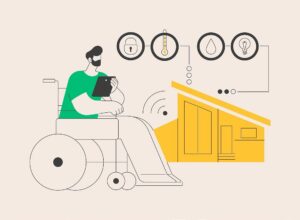
John uses a stove sensor that sends a text alert to his phone when the stove has been turned on for longer than 30 consecutive minutes. Jill uses pictures of food to make her grocery list for the week on a Velcro “notepad.”
John uses a stove sensor that is monitored by a direct support professional who is offsite. The direct support professional calls John when the stove has been on for longer than 30 consecutive minutes and checks to see if he needs help. Jill has camera and intercom technology on the front and back doors. When the door opens, staff are alerted and can view activity and interact with Jill or other visitors.
Changes range from simple, low-cost adjustments (like removing throw rugs or replacing round doorknobs with lever handles) to major structural updates (such as widening doorways or installing wheelchair ramps).
John’s home has motion-sensor lights to support his low-vision needs. Jill has grab bars and seating installed in the shower, as she is experiencing frequent dizziness due to her POTS diagnosis.
Kristin has hypermobility in her lower body and uses a swivel seat to help her enter and exit her vehicle pain-free.
Lawson struggles to tolerate extraneous noises and often wears his headphones in the house. His house has technology that flickers the lights when the doorbell or phone is ringing.
Jasmine uses speech-to-text to send emails and text messages because she does not spell/read.
As Charlie increases his literacy skills, the text on his communication device is enlarged, and the picture icons are made smaller to meet his skill level.
This information was developed by the Autism Services, Education, Resources, and Training Collaborative (ASERT). For more information, please contact ASERT at 877-231-4244 or info@PAautism.org. ASERT is funded by the Bureau of Supports for Autism and Special Populations, PA Department of Human Services.